
Security
How MonoBar handles the network and your data — stated plainly, including the limits. This page summarizes an internal pre-release security review of the actual code.
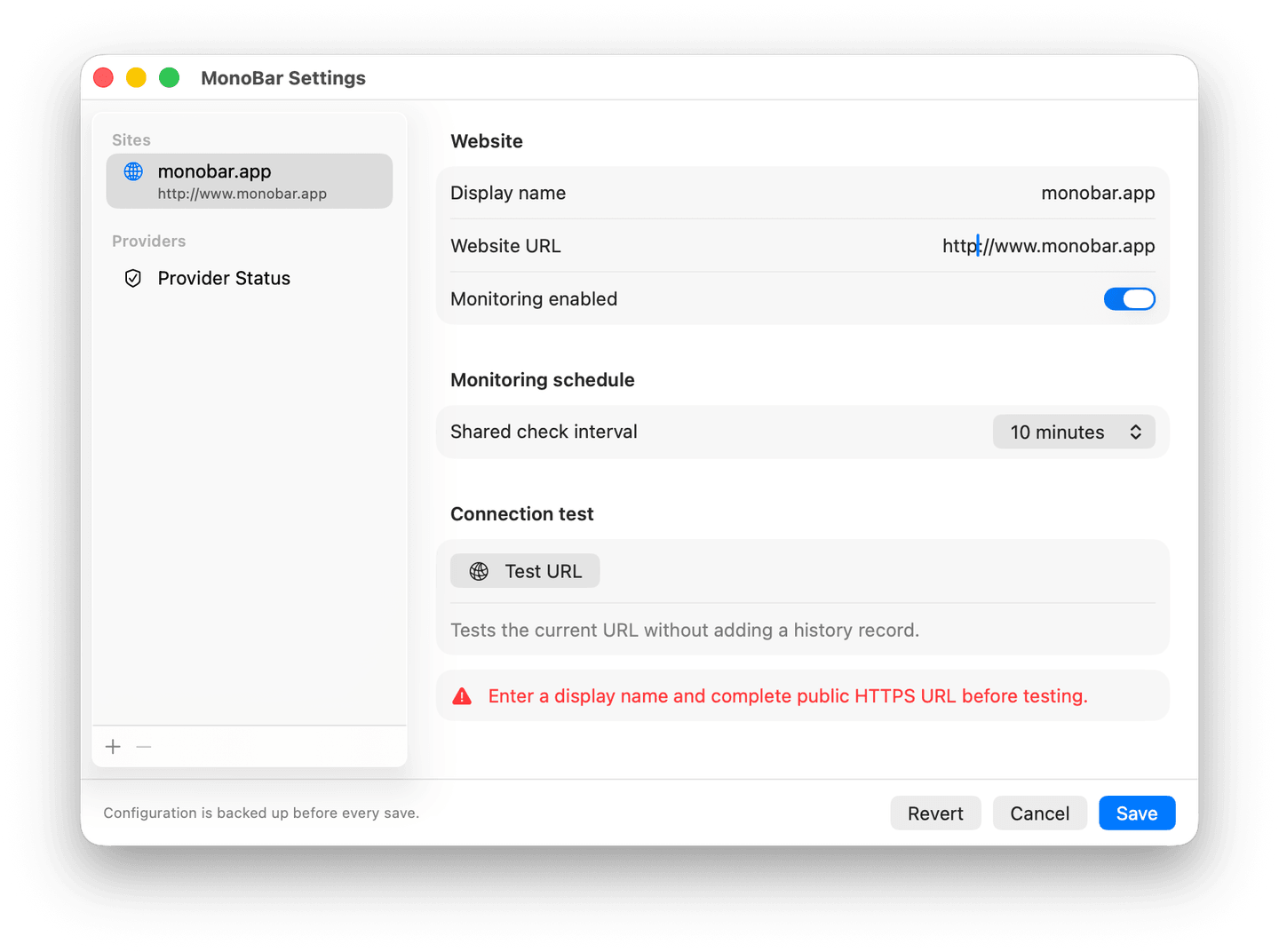
Monitoring is HTTPS-only
MonoBar monitors public HTTPS websites. HTTP URLs are rejected in Settings and again at request time — a stored HTTP URL is surfaced as a configuration error, never silently monitored or silently "fixed."
Network boundaries
- Destinations that resolve to private, local, or reserved addresses are blocked before any request is made.
- Redirects are restricted: same host (or its www counterpart), never a downgrade from HTTPS, and every redirect target is re-checked.
- Website checks read headers only — MonoBar cancels before accepting a response body. Provider feeds are capped at 256 KB and parsed as plain JSON with unknown fields ignored.
- Network sessions are ephemeral: no cache, no cookies, no stored credentials, discarded after every request.
- Provider feeds that fail or can't be parsed report Unknown — MonoBar never invents an outage.
Local data
Configuration and history live in ~/Library/Application Support/MonoBar/. Saves are atomic with automatic backups; history file paths are validated and symbolic links are refused, so tampered state can't redirect reads or writes elsewhere.
The download
MonoBar is signed with a Developer ID certificate and notarized by Apple — macOS verifies both before it opens. The notarization ticket is stapled to the app, so verification works even offline.
Every release publishes its SHA-256 so you can confirm you have exactly the published file; the current one is in the Changelog and in Docs.
The app runs with Hardened Runtime enabled and no entitlements — no helper tools, no daemons, no login items, no plug-ins, no XPC services. It is a single ordinary app process.
Honest limits
- MonoBar verifies that a host resolves publicly before requesting it, but does not claim cryptographic endpoint pinning; TLS validation is handled by macOS.
- DNS resolution relies on the macOS resolver, including its timing.
- MonoBar is a local companion, not an external monitoring service — it can only check while your Mac is awake and the app is running.
Found a security issue? Please email security@monobar.app directly rather than posting publicly. We take reports seriously and respond as fast as an independent developer honestly can.